
Features in Action
Pi-tree is built for comprehension, not productivity. Instead of a generic chatbot with documents bolted on, each source type gets purpose-built AI tools and skills — an agentic approach where the AI actively reads and explores with you. Here's what that looks like in practice.
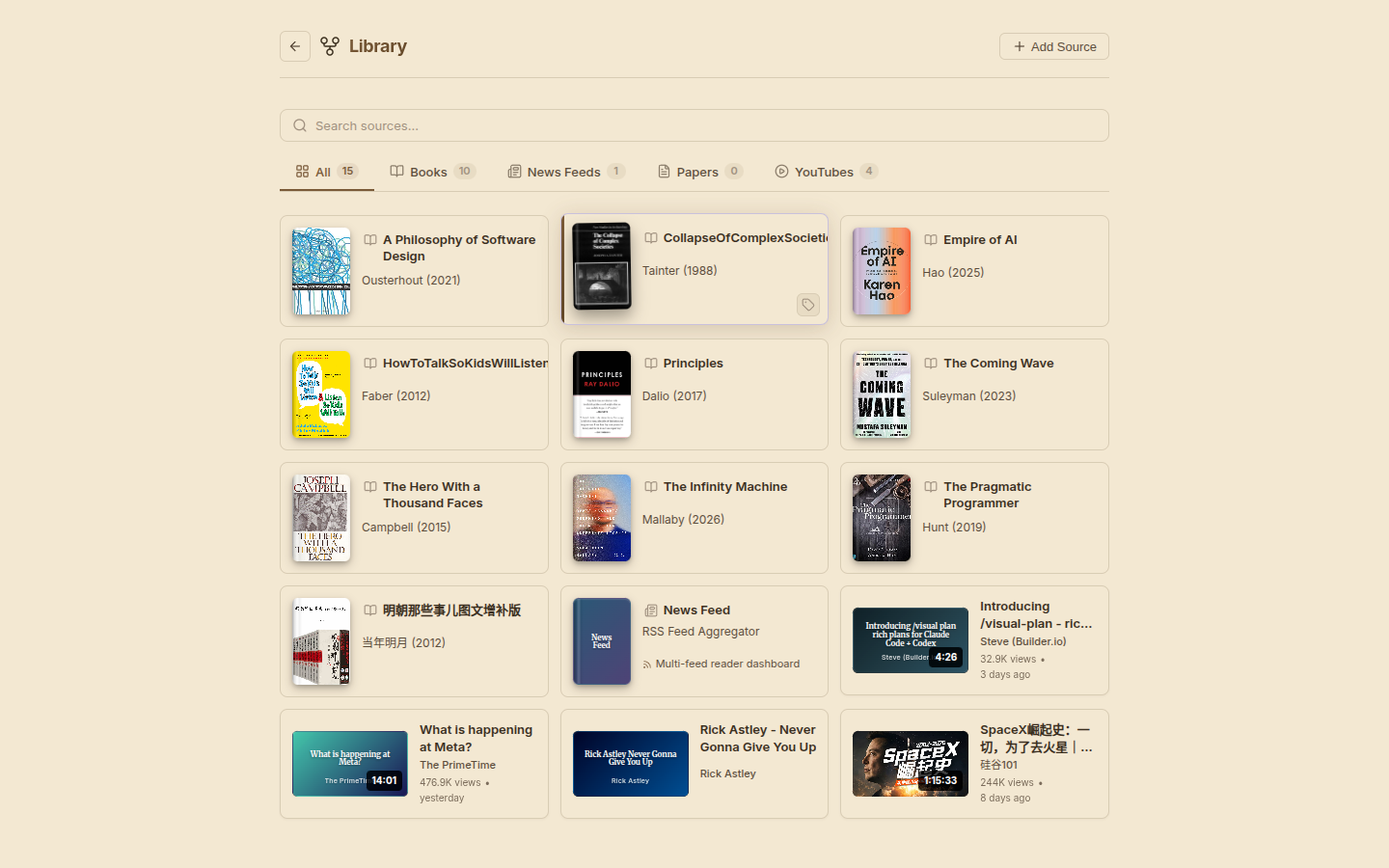
Library
Your personal reading library — all sources in one place. Filter by type, search across everything.
Home — Chat Router
The home page is an AI-powered hub. Instead of clicking through menus, you just talk — "what's in my library?", "open The Coming Wave", "catch me up on AI news" — and the router navigates you there. It has access to all plugin tools and can list sources, create sessions, or open existing ones directly from the conversation.
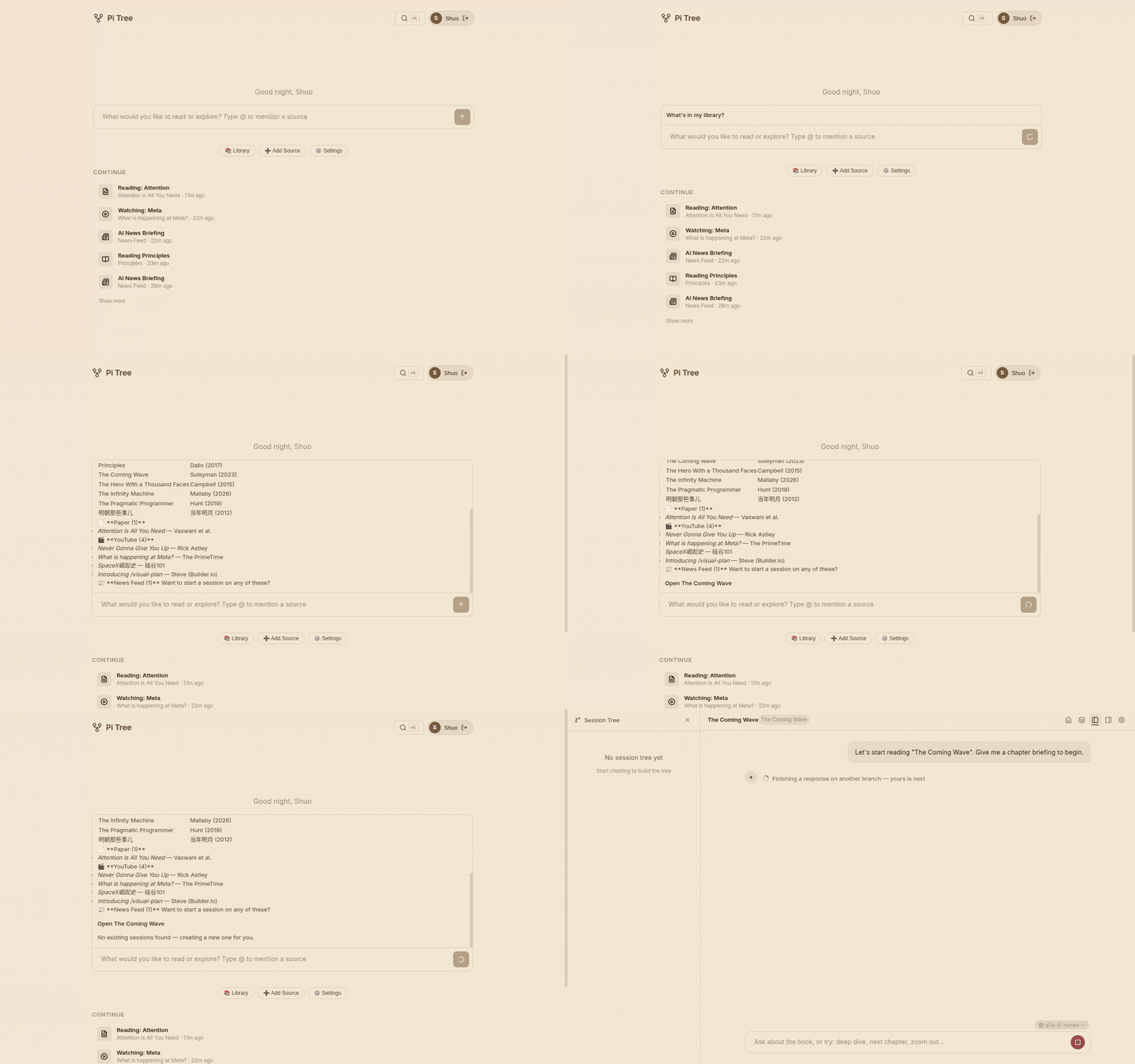
The flow:
- Ask anything — "what's in my library?", "open The Coming Wave", "find papers on attention mechanisms"
- The router figures out the intent — it can list sources, open an existing session, or create a new one
- You're navigated directly into the reader with full context
You don't need to browse first. If you already know what you want, just say it — "continue reading Principles" or "check today's news" — and the router takes you there directly.
The Continue section below the chat shows recent sessions across all source types for quick resume.
Book Reading
Upload EPUB, MOBI, or PDF files. The AI guides you through the book with contextual reading skills. The right panel shows the table of contents — click any chapter to jump there in conversation.
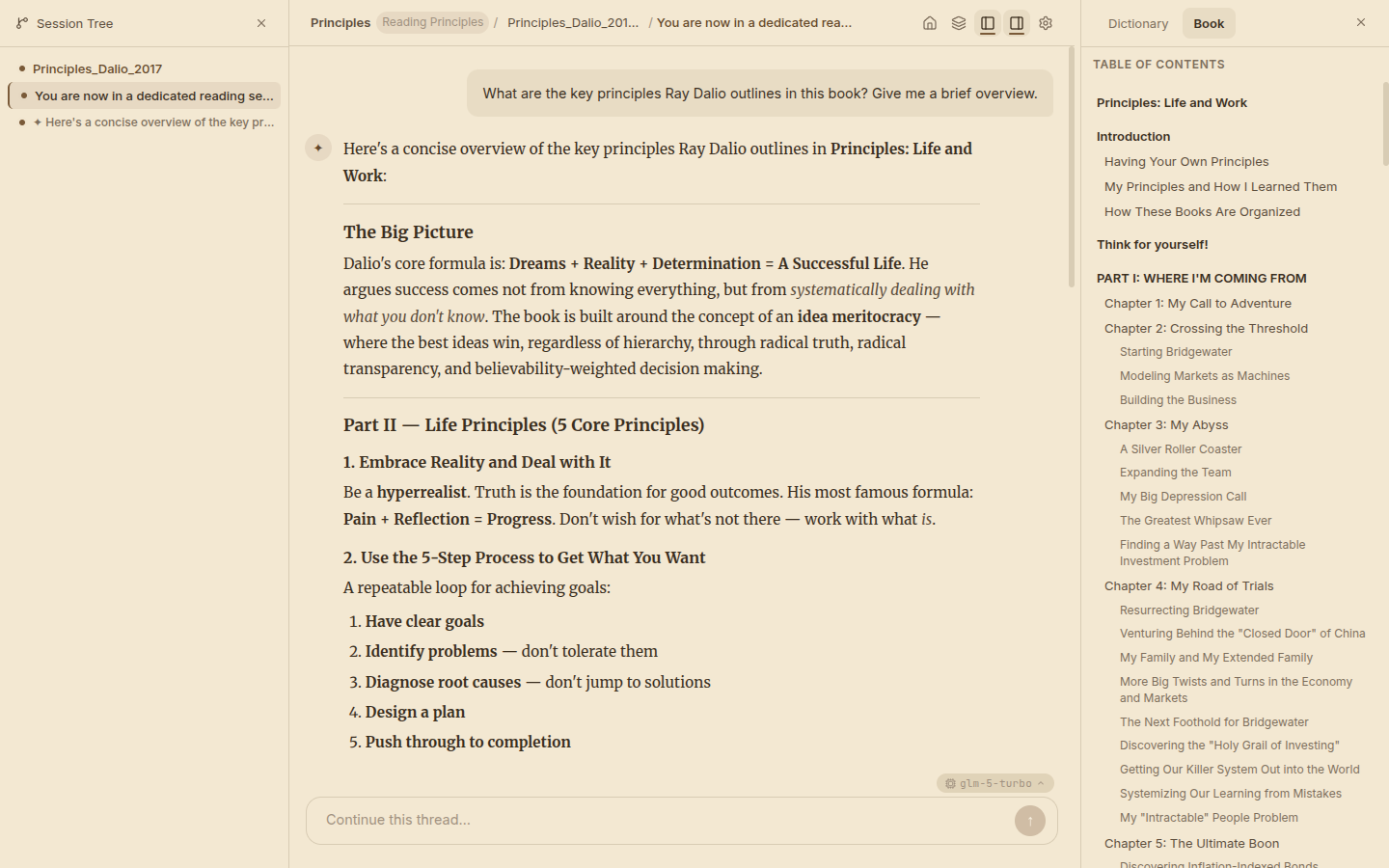
What you see:
- Left — Session tree showing conversation branches
- Center — AI-generated overview of key principles with structured formatting
- Right — Full book table of contents for navigating chapters
News Feeds
Add RSS/Atom feeds organized by topic. The AI scans and synthesizes stories across feeds. The right panel shows your feed dashboard — all subscribed feeds grouped by tag.
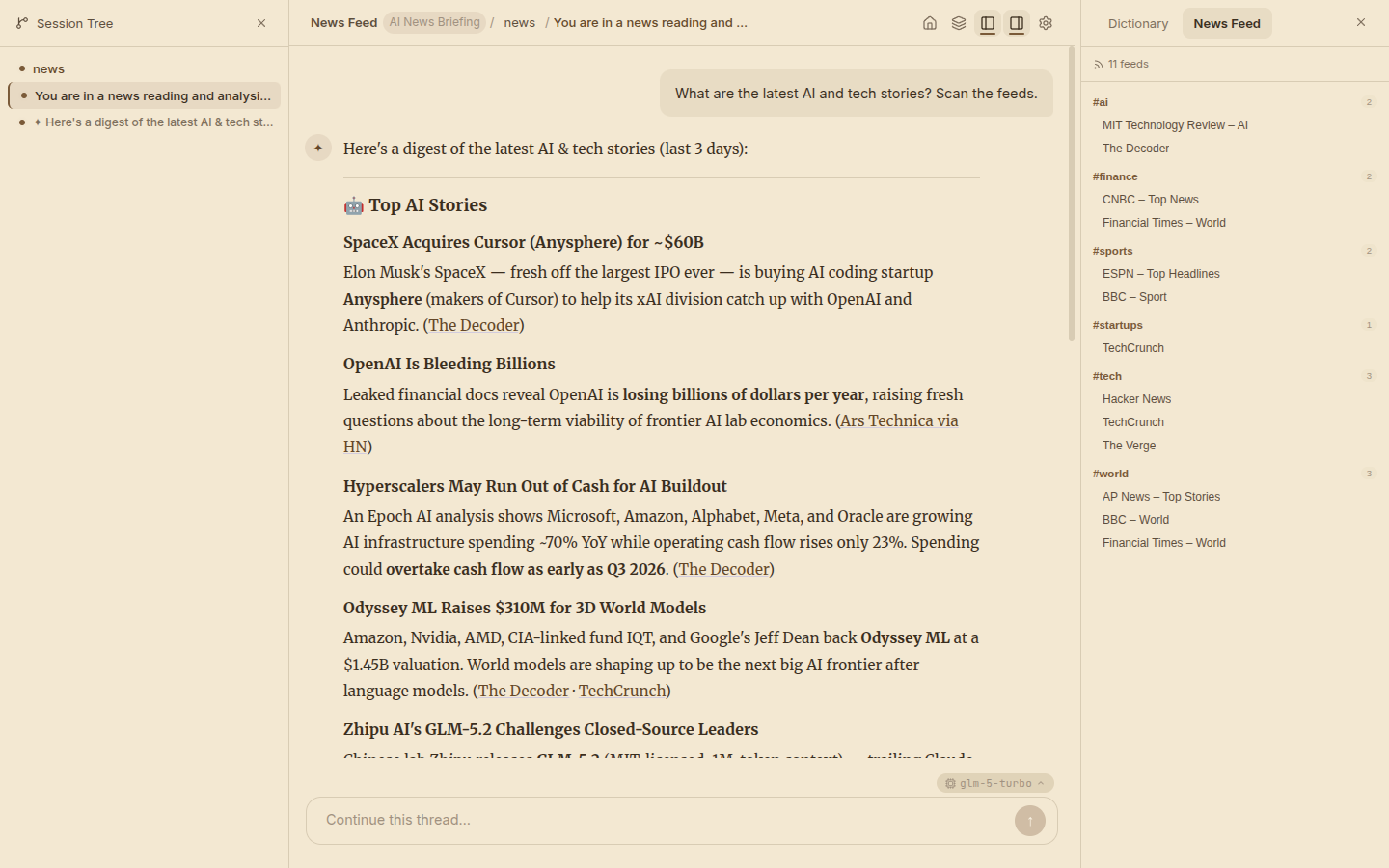
What you see:
- Center — AI-curated digest with headlines, summaries, and source attribution
- Right — 11 RSS feeds organized by category (#ai, #tech, #finance, #world)
YouTube Videos
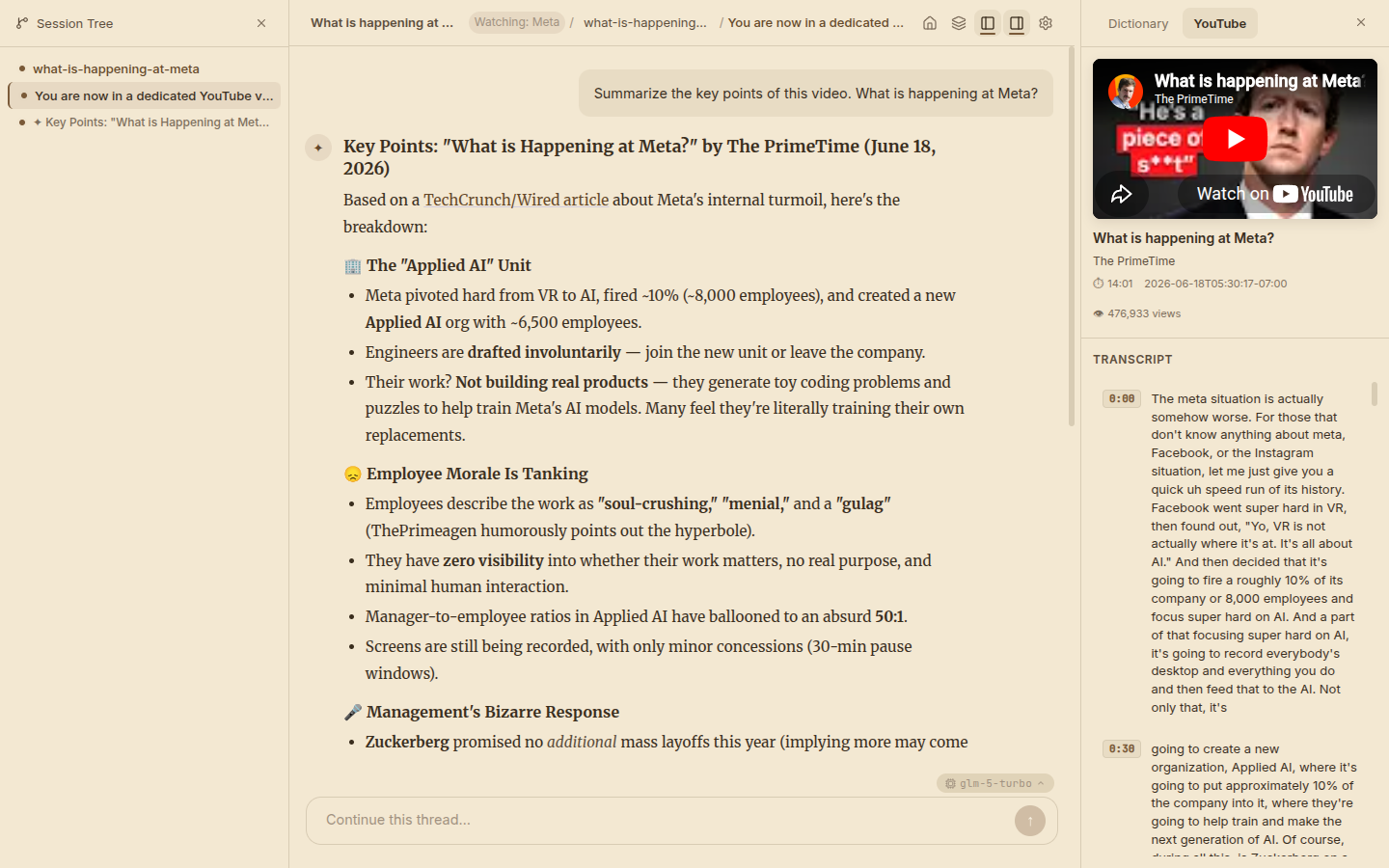
Paste a YouTube link. Pi-tree extracts the transcript and metadata, then lets you discuss the content with AI. The right panel shows the embedded video player with a timestamped, scrollable transcript.
What you see:
- Center — Structured summary with sections (The Applied AI Unit, Employee Morale, Management Response)
- Right — Embedded YouTube player + full timestamped transcript you can click to jump to specific moments
Research Papers
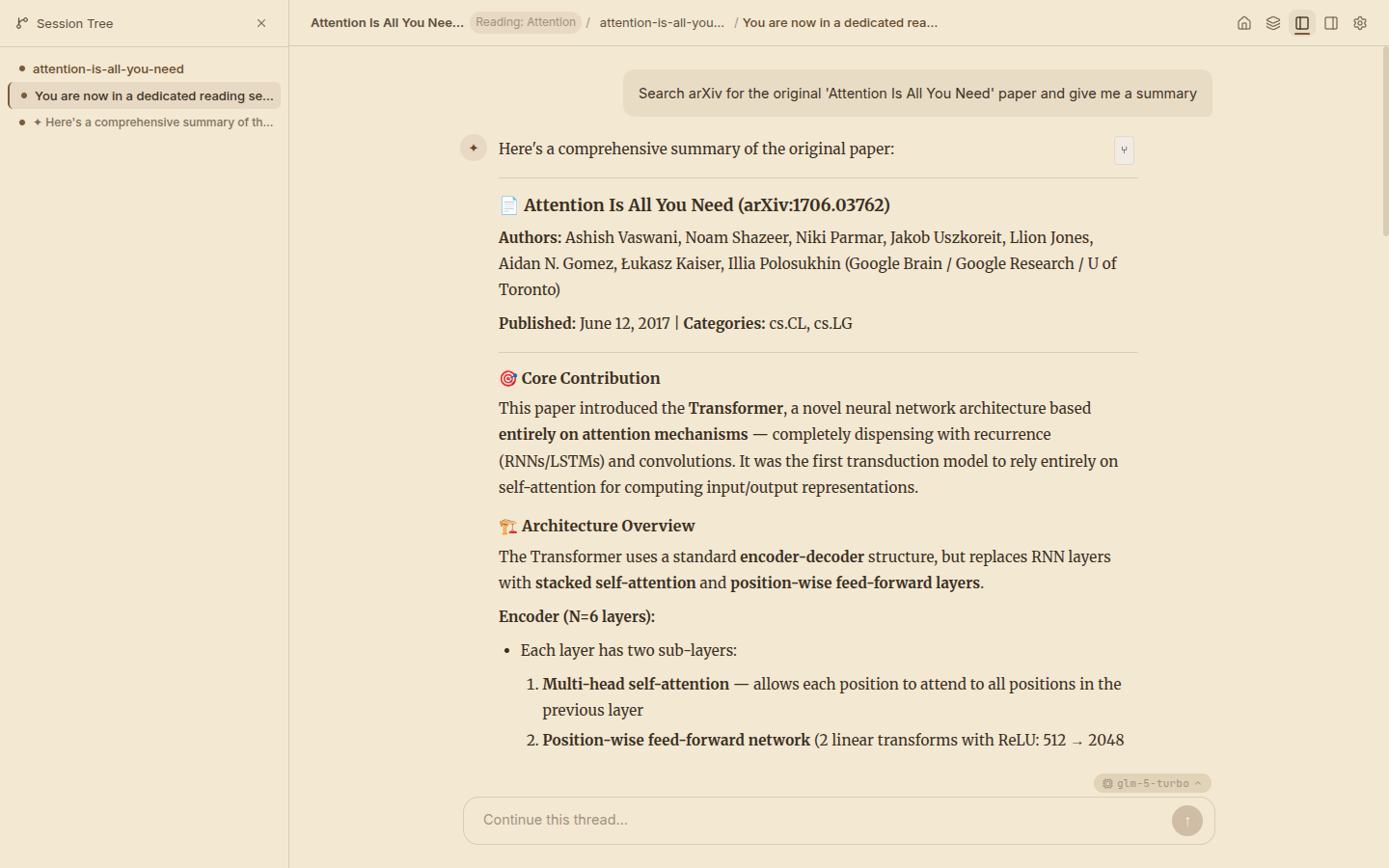
Search arXiv directly from the chat. The AI fetches paper metadata, reads the full text, and helps you work through methodology, results, and related work.
What you see:
- Full arXiv metadata (authors, publication date, categories)
- Structured summary of the Transformer architecture with technical details
Discover
Ask "what should I read next?" — in the home chat or from the Discover page — and pi-tree recommends what to read next based on what you've actually read. It reads your interest signals (sessions, memos, concepts) and suggests new sources you don't already own:
- 📚 Books — candidates grounded against Open Library, with a link out to each work
- 📄 Papers — matched on arXiv, with Add to library → Read now in one click
- 📰 Feeds — RSS sites and YouTube channels, added to your feeds in one click
Every recommendation carries a reason tied to your own reading history — not "people also liked," but "extends 'base rates,' which you went back and forth on across three sessions of Thinking, Fast and Slow." Cross-modal connections are the point: reading a book can surface the paper it cites or the feed that covers the same space.
How it works:
- Use the Look for chips to restrict which source types run (or leave all on)
- Providers stream their progress live as they search and ground candidates
- Results are cached per user — return to the page and your last run is instant, with a "Generated X ago" timestamp
Like everything else, Discover is plugin-driven: each source plugin registers a DiscoverProvider, so custom source types can plug into the same pipeline.
Memos
Memos are living notes derived from your conversations — a knowledge layer that persists across sources and sessions, searchable via full-text search.
Capture — four gestures, from manual to AI-suggested:
/memo [annotation]— save the last AI response with your note attached- 📌 on the selection toolbar — save any highlighted text
- The AI itself suggests saving key takeaways as you read
- Create one from scratch on the Memos page
Recall — /recall <query> searches your memos mid-conversation, ⌘K spotlight search finds them from anywhere, and the standalone Memos page supports filtering, inline editing, and appending. Every memo links back to the session it came from, so you can always navigate to the original context.
Concept Layer
Pi-tree extracts key concepts from every source — books, papers, YouTube videos — into a personal knowledge graph.
- Concepts panel in the Analysis tab, with links to the chapters where each concept appears and one-click Ask actions to start a conversation about it
- Knowledge graph visualization showing how concepts connect across your library — ideas from a book link up with the paper and the video that touch the same territory
- Concept badges on library cards show what's been extracted; reprocess any source incrementally or in bulk
Dictionary & Glossary
Select any word or phrase while reading to look it up in context — definitions appear as stacked cards you can expand, and live in a Dictionary tab in the right panel. Lookups accumulate into a per-source glossary, so the vocabulary you build while reading a book stays with that book. Set PI_LOOKUP_MODEL to route lookups to a cheaper, faster model than your main reading model.
The Three-Panel Layout
Every session follows the same pattern:
┌──────────────┬─────────────────────────────┬──────────────────┐
│  Session     │                             │  Plugin Panel    │
│  Tree        │      Chat / AI Response     │  (source-type    │
│              │                             │   specific)      │
│  • branch 1  │  User: "explain this..."    │  📖 Book TOC     │
│    • sub     │                             │  📰 Feed list    │
│  • branch 2  │  AI: structured response    │  🎥 Video player │
│    • sub     │      with formatting        │  📄 Paper refs   │
│              │                             │                  │
└──────────────┴─────────────────────────────┴──────────────────┘
The left panel (Session Tree) and center (Chat) are provided by @pi-tree/ui. The right panel is injected by each plugin — this is how plugins extend the UI without touching core code.
Plugin-Driven Design
Each source type is a self-contained plugin that provides:
| Capability | Book | News | YouTube | Paper |
|---|---|---|---|---|
| AI Tools | process_book | get_latest_rss, search_rss | get_youtube_info, get_youtube_transcript | search_papers, get_paper_info, read_paper |
| Skills | interactive-reading, analysis, outline | news-reading | youtube-watching | paper-reading |
| Right Panel | Table of Contents | Feed Dashboard | Video Player + Transcript | — |
| Own Database | — | ✅ (feeds, articles) | — | — |
| HTTP Routes | — | /api/news/* | — | — |
Plugins depend only on @pi-tree/plugin-sdk and declare everything in their package.json manifest. The server discovers and wires them automatically at startup.